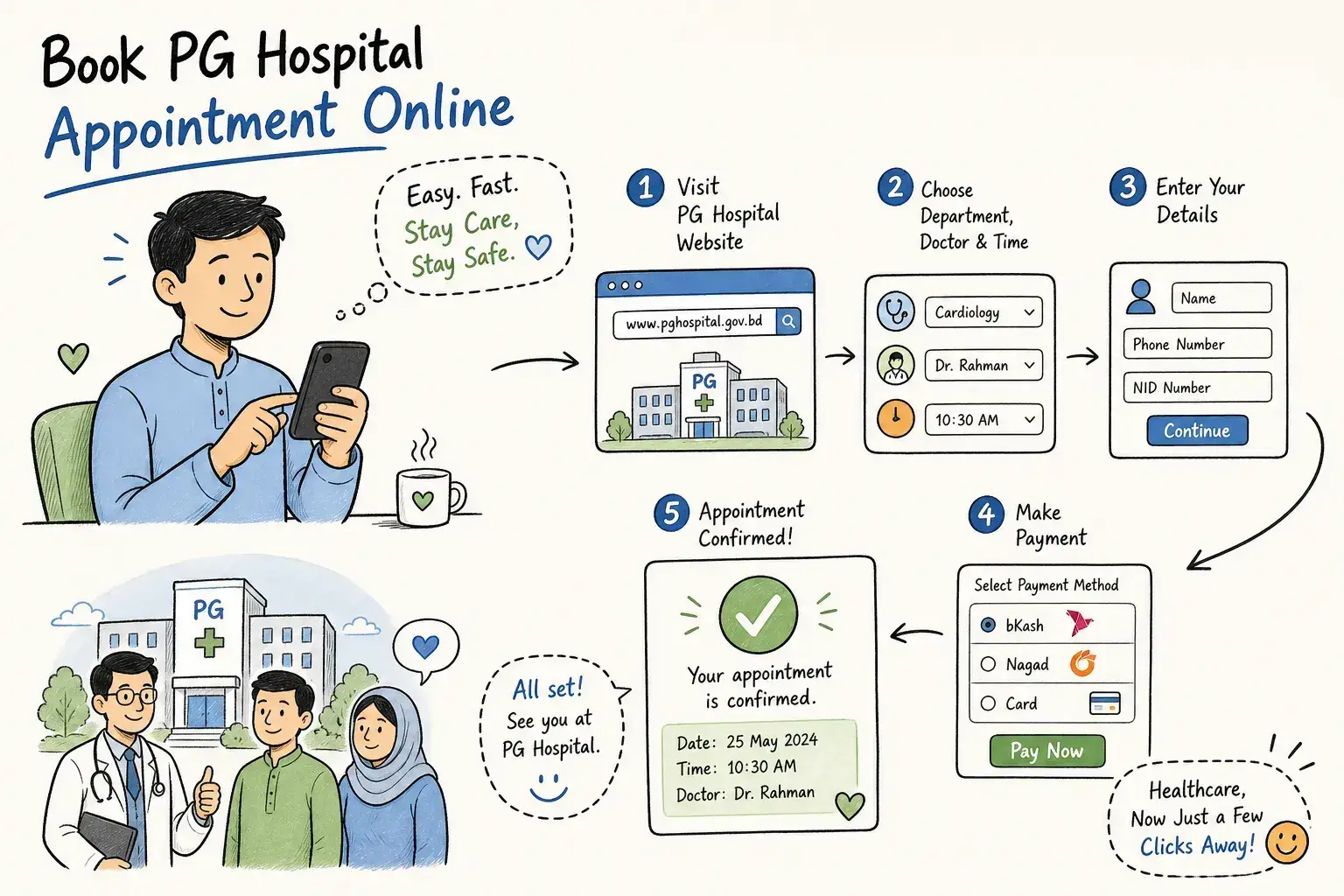
PG Hospital Online Appointment Bangladesh: Step-by-Step Guide
This guide explains how to make a PG Hospital online appointment at BSMMU from start to finish. Open the official BSMMU website at bsmmu.ac.bd, navigate to "Online Appointment," choose your department and an available date, enter the patient's details, verify your mobile number with an OTP, and submit. The hospital system then sends an SMS confirmation to your registered number. On appointment day, go directly to your department counter at least 30 minutes before the time stated in that SMS, present it to the staff, pay the OPD consultation fee in cash, and collect your receipt before the deadline.
This describes the typical process for most OPD appointments, check BSMMU's site for any department-specific requirements. BSMMU is Bangladesh's leading postgraduate medical institution, and because demand is high, many patients arrive very early to secure an OPD slot. Booking your slot online the evening before is the practical alternative to joining that queue. This guide covers every step: what to prepare, how to navigate the portal, what to do when it misbehaves, and how to handle cancellations.
Key takeaways
- Official booking portal:Navigate to bsmmu.ac.bd and select "Online Appointment." The Super Specialized Hospital uses a separate site (ssh.bmu.ac.bd), so confirm which facility you need first.
- Slots open at 8:00 AM:Appointment slots for the next working day are released at 8:00 AM. High-demand departments fill within the hour, so be ready before they open.
- OPD fee:AnOPD consultation feeapplies; pay in cash at the counter on the day. Do not assume card or mobile banking will be available at your counter.
- Required documents:Bring the patient's NID or birth registration certificate, the SMS confirmation, and all previous prescriptions or investigation reports.
- No guaranteed refund:Counter payments are not confirmed as refundable. Cancel through the portal and speak to the department directly if rescheduling is needed.
- OPD days are Saturday to Thursday:The outpatient service runs Saturday to Thursday, approximately 8:00 AM to 2:00 PM. Friday and government holidays are closed.
What do you need before booking your BSMMU OPD ticket?
Patient details and documents to prepare
Have the following ready before opening the portal: the patient's full name, date of birth or age, gender, residential address, and a mobile number that is active and can receive an OTP. The system sends a one-time verification code to that number, so confirm it is correct before you begin. Returning patients should locate their existing patient registration number or card in advance, as entering it correctly avoids duplication errors during submission.
On appointment day, carry the patient's NID or birth registration certificate for counter verification. Bring the SMS confirmation, either printed or as a screenshot on your phone. All previous prescriptions, investigation reports, and discharge summaries relevant to the consultation should also come with you. Organise everything in a single folder so counter verification takes seconds rather than minutes.
When slots open and how quickly they fill up
BSMMU releases OPD appointment slots at 8:00 AM for the next working day. For high-demand departments such as medicine, cardiology, and gynaecology, those slots regularly fill within the first hour. Set a reminder for 7:55 AM, have all patient details ready to enter, and connect to a stable Wi-Fi or 4G network before 8:00 AM. A slow connection at that exact moment is genuinely the difference between securing a slot and missing it entirely.
The OPD operates Saturday to Thursday, with services running roughly from 8:00 AM to 2:00 PM. Check the current BSMMU website before your visit, particularly if you are requesting a specific professor or consultant, as specialist availability follows a changing roster rather than a fixed daily schedule.
PG Hospital online appointment: step-by-step guide
Step 1: Access the official BSMMU appointment portal
Open the BSMMU website at bsmmu.ac.bd and locate the "Online Appointment" or "OPD Ticket" link in the patient services section. Log in or create a patient account if the system prompts you. Do not use third-party apps or redirect sites that claim to offer BSMMU booking; only the official website produces a valid appointment.
If your referral is for the Super Specialized Hospital, that facility operates through ssh.bmu.ac.bd, which is a separate booking system entirely. Confirm which site you need, then bookmark the correct page.
Step 2: Select your department, date, and enter patient details
After choosing the correct department, select an available date from the calendar. Fill in every required field: name, age, gender, address, and mobile number. An OTP will arrive at the mobile number you provide; enter it promptly, and if it does not arrive, request a resend. Review all details carefully before submitting. The portal may not support easy edits, check details carefully before submitting, and contact the help desk if you need changes. An incorrect mobile number means the confirmation SMS will never reach you.
Step 3: Submit and save your confirmation SMS
Once submitted successfully, the BSMMU system sends an SMS from the hospital's designated number to your registered mobile. That number (+880-1552-146202) functions as a shortcode sender identifier, verify it matches the number shown on the official BSMMU contact page if you are unsure. This message contains your appointment reference and the time you are expected at the department counter. Screenshot it immediately and back it up in a second location. Without this SMS, the booking cannot be verified at the counter, and the slot cannot be claimed.
What happens on the day of your BSMMU appointment?
Arriving on time and joining the correct queue
Go directly to your department counter rather than the general registration area. Arrive at least 30 minutes before the time stated in your confirmation SMS; BSMMU advises this specifically for online booking queue holders. Arriving late may result in losing your place, so follow BSMMU's instructions on the day carefully. Bring the SMS, the patient's NID or birth certificate, and all previous medical records. At a hospital operating at this volume, there is no room for improvised preparation on the day.
Paying the OPD counter fee and collecting your receipt
At the counter, present the confirmation SMS. Staff will verify the booking and collect the OPD consultation fee in cash. Online payment for the OPD ticket has not been fully implemented at BSMMU as of the most recent available information, so carry the exact cash amount regardless of whether a card reader or mobile banking option appears to be present at a particular counter. Collect the official receipt before leaving: you will need it for prescriptions and laboratory referrals during that visit.
Common problems with PG Hospital online appointment and how to fix them
Common technical errors and quick fixes
Three problems come up most often with the BSMMU online ticket system. "No available slots" simply means all slots for that date are taken; try again at 8:00 AM the following working day. If the OTP does not arrive, check that the mobile number entered is correct, confirm signal strength is adequate, and request a resend. Page loading errors and blank screens are usually resolved by clearing the browser cache, switching from a mobile browser app to a desktop browser, or changing to a different network.
If the portal shows a 500 server error or returns a completely blank page, the system is under maintenance and refreshing repeatedly will not help. The practical fix for a server outage is preparation, not refreshing. Save the hospital's main helpline (+880-2-55165001-6) and note the walk-in counter hours before you need them. Having that number to hand costs nothing and saves real time when the portal goes down.
What are the alternative ways to book if the online system fails?
In-person OPD registration at the PG Hospital counter
If the portal is unavailable or a department's slots are exhausted, walk-in registration at the BSMMU OPD counter remains an option. Arrive before 8:00 AM on a working day to join the walk-in queue. Bring the patient's NID, any existing patient registration card, and all relevant medical records. Walk-in slots are limited and allocated strictly on a first-come basis; for specialist departments, arriving early is often still not early enough.
Phone and other contact channels
The main hospital telephone exchange is +880-2-55165001-6. The BSMMU website also lists an appointment helpline at 09611677777; verify this number on the BSMMU contact page before calling, as numbers are updated periodically. At present, the phone lines serve primarily as an inquiry channel rather than a booking tool, but the university's ICT Cell has been actively expanding its appointment infrastructure and this may become more structured as the system develops.
Can you cancel or reschedule a BSMMU appointment, and how do you reduce waiting time?
How to request a cancellation or date change
Use the "Cancel Appointment" option within the BSMMU online appointment portal to cancel an existing booking. Rescheduling works by cancelling the existing slot first and then making a fresh booking; the system does not offer a direct date-change function. Keep the cancellation confirmation.
If counter payment was already collected, contact the outpatient or online-appointment counter directly, bringing the SMS, patient ID, and payment receipt, and ask specifically whether a transfer or refund is possible. Counter payments are not confirmed as refundable in BSMMU's published guidance, so do not assume a refund will follow automatically. Get any confirmation in writing before assuming otherwise.
Practical tips to cut waiting time and avoid peak-hour pressure
Book for a mid-week date. The first working day of the week consistently sees the highest demand; mid-week slots are easier to secure and the counters are less crowded on the day itself. At the hospital, presenting all documents quickly at the counter moves the queue faster for everyone. Everything arranged in a single envelope or folder takes ten seconds at the window; searching through a bag takes considerably longer and holds up the line behind you.
Complete your PG Hospital online appointment with confidence
The BSMMU online OPD ticket system removes the worst part of visiting PG Hospital: the pre-dawn queue. The steps are straightforward once you know them. Open the official BSMMU website, navigate to "Online Appointment," select your department and date, fill in the patient's details, verify the OTP, and save the confirmation SMS. On the day, arrive 30 minutes early at the department counter with your NID, the SMS, and your records, pay the OPD fee in cash, and collect your receipt.
Follow these steps to complete your PG Hospital online appointment with confidence, and keep the BSMMU helpline (+880-2-55165001-6) saved alongside your portal bookmark. Having a backup plan costs nothing and saves everything when the system misbehaves.
Frequently Asked Questions
Can I use a different mobile number from the patient's own to receive the OTP and confirmation SMS?
Yes, you can use any active mobile number that can receive the OTP and the confirmation SMS. Make sure the number you enter is correct before submitting because the OTP and the confirmation SMS will be sent to that number, and an incorrect number means you will not receive them.
What should returning patients have ready to avoid creating a duplicate record during booking?
Returning patients should have their existing patient registration number or card ready before starting the booking. Entering the registration number correctly avoids duplication errors during submission and speeds up the process.
If I arrive late for my scheduled time, what will happen to my appointment?
Arriving late may result in losing your place in the queue. You should follow BSMMU's instructions on the day and aim to arrive at least 30 minutes before the time shown in your confirmation SMS to avoid this risk.
Can I edit patient details after I submit the appointment on the portal?
No, the portal may not support easy edits after submission, so review all details carefully before you submit. If you need changes, contact the help desk as instructed on the portal for assistance.
Is the confirmation SMS the only proof I need to claim my slot at the department counter?
Yes, the confirmation SMS is required to verify the booking at the counter. Screenshot it immediately and keep a second backup, and bring it along with the patient's ID and medical records on the appointment day.